GachiTrip

Create, share the link, plan together

Share your itinerary with one link and plan it together. Your first itinerary takes a minute.

  • No sign-in needed
  • No install needed
  • Free

Opens instantly without signing up. Changes in the preview are not saved.

Four steps is all it takes

  1. 01Create

    Create a trip

    Enter a trip name and dates, add your travelers, and you're done. No sign-in needed — you can add an account later.

    The create-a-trip form with scope, name, dates, and travelers
  2. 02Share

    Send the link

    Anyone who receives it can edit right away without signing in. The creator sees an owner key once at this point — it is the only way to recover the trip if the link is lost, so save it somewhere.

    The owner key proves you own the trip

    • Recover the trip from the home screen if you lose the link
    • Lock or unlock the trip
    • Delete trip
    • Move a trip you made before signing in to your account

    Travel mates who only have the link can't do these. For trips created while signed in, your account does this without an owner key.

    The finishing dialog with the trip link and owner key, and the link sent in a chat
  3. 03Fill in together

    Plan it together

    Line up flights and stays, split the packing, and log expenses. Every change shows up on everyone's screen right away.

    A stay, a packing check, and an expense total filled in together
  4. 04On the trip

    Pull it up on the road

    The same link becomes your itinerary. Back home, settle up with the per-currency totals.

    A phone showing today's plans and expense totals per currency

Preview your route on a map

Add places to your detailed itinerary and they become pins by day. Press play to follow your route.

Preview the map
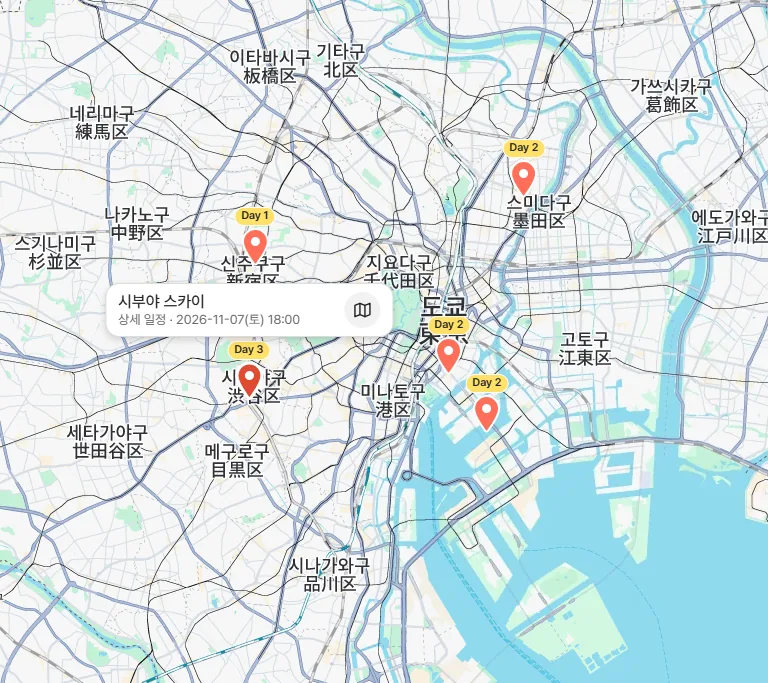
A trip map of Tokyo with plans from Day 1 to Day 3 marked as pins
Map data © Google

Trying it is faster

What kind of traveler are you? Spontaneous P types fit the Simple template, planner J types the Detailed one.

Frequently asked questions

Is it really free?
Yes. Every feature is free for now. No sign-up or install needed.
Do I have to sign in?
No. You need it neither to create nor to edit together. Only comments require signing in, and signing in gathers the trips you made in one place.
What is the owner key for?
It proves you own the trip. You'll be asked for it to lock or delete the trip, or to move a trip made before signing in to your account. Trips created while signed in have no owner key — your account does this instead.
What if I lose the link?
Use the owner key you got when creating the trip to find it again from the home screen. If you lose both the link and the key, we cannot recover it either.
What can someone with the link do?
They can read and edit everything. Only the creator can delete the trip. So please send the link only to people you travel with.
How long is a trip kept?
Trips you have edited stay for 90 days after they end. Trips left untouched are cleaned up after 7 days. To keep a finished trip, sign in and tap Keep.

Try it

No sign-in, no install, free — your first itinerary takes 30 seconds.